Earn your Microsoft Office Specialist (MOS) or MOS Expert certification and prove your expertise with Microsoft Office applications such as Word, Excel, and PowerPoint. A Microsoft Office certification validates your productivity skills and can enhance your career opportunities, boost your resume, and increase your earning potential.
MOS certifications are product- and version-specific—such as Excel 365/2019 or Word 2016—and confirm your ability to use Microsoft Office tools at a professional level. The MOS Expert credential demonstrates advanced proficiency with specific Office programs. While a standard MOS certification isn’t required before pursuing the Expert level, it’s an ideal foundation for success.
With ONLC’s live, online Microsoft Office certification training, you’ll gain hands-on experience and expert instruction to prepare for MOS and MOS Expert exams with confidence.
Click a product to review the available MOS / MOS Expert certifications and details.
Microsoft Excel is a powerful tool you can use to create and format spreadsheets and analyze and share information to make more informed decisions.
Microsoft Word is a powerful authoring program that allows you to create professional-looking documents as well as compose and publish blogs
Microsoft PowerPoint is a powerful presentation program that allows you to quickly create professional-looking high-impact, dynamic presentations.
Microsoft Outlook is an email program that allows for corresponding and provides integrated solutions for time and information management.
Microsoft Access is a relational database program with which you can create tables, queries, forms and reports, and connect them together with macros.
Our group training option can prep your team quickly and effectively for MOS certification or any title on our public schedule. Learn more 
Get MOS / MOS Expert certification and training guidance when you contact an ONLC Education Advisor via chat or toll free at 1-800-288-8221 (weekdays).
All version 2013 MOS certifications were retired as of June 30, 2024.
Previously retired are MOS SharePoint 2013 as of June 2020, and MOS OneNote 2013 as of June 2023.
MOS exams are administered by Certiport—Microsoft's testing partner for all MOS / MOS Expert exams. Exams are offered online or can be taken at Certiport testing locations.
"Best class I have taken. The instructor's data was easy to view and I was able to see updates instantaneously. The instructor spoke clearly and professionally and provided great examples. I learned a lot in Excel so feeling ready to go for MOS certification."
– Amy, Melbourn, FL
"The instructor was excellent. She is extremely knowledgeable and was an outstanding instructor for Access. Her passion for her students to succeed in and beyond the classroom was evident as she was willing to help any student at anytime."
– Scott, Albuquerque, NM
"This course was worth the price of admission within the first few minutes. The instructor was super!!!! She made sure we were all at the same place, answered questions, provided super tips and information and got through everything extremely well. It was the best class I have ever taken on any computer program."
– Barbara, Paramus, NJ
Since 1983, ONLC Training has been helping business professionals and individuals come up to speed quickly on the latest computer software and prepare for professional certification.
For most, the best way to learn is by having hands-on experience with the technology. Our live, instructor-led training (ILT) classes are fully interactive. You'll use the software, do hands-on labs and exercises* throughout the class and engage directly with the online instructor. See our ILT FAQs for more on our class format and our schedule of classes.
Can't attend live training? See our On-Demand self-study courses which will also help you prep for MOS / MOS Expert certification. With an On-Demand course you'll have 24/7 access for a period of months in which to complete the course. "On-Demand" appears in the course title to indicate courses in this format. See On-Demand self-study option

Classrooms Nationwide for Best Learning.
We have hundreds of training centers coast to coast with fully-equipped, interruption-free rooms. This is especially helpful when one can't focus at home, or cybersecurity restrictions prevent attending from work. ONLC Training locations.

Try Our Instructor-led Classes at No Risk.
ONLC is a leading business-to-business IT training company. Companies large and small choose us because of quality training and great customer service. We are so confident we offer 100% satisfaction with a Money-back Guarantee.
Decades in Business.
We have been providing high-quality, reliable computer training on the latest technologies since 1983. We're obviously doing things right to be in business for so long and to continue growing year after year.
More about ONLC.

Savings of Up to 35%.
Get maximum buying power and flexibility learning today's technologies with our ONLC Learning Credits. This exclusive program provides a set discount for up to 12 months on our technical and end-user courses in instructor-led and self-study formats. Details.
24/7 Training with ONLC On-Demand.
Don't have time to attend our live, instructor-led classes or like to study on your own? ONLC On-Demand training courses let you learn new skills and technologies on your own schedule, at your own pace from your own place. ONLC On-Demand Titles.
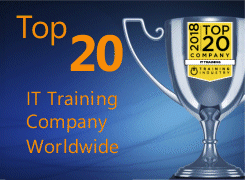
Top 20 Training Company.
ONLC has been selected consecutively as one of the Top 20 IT Training Companies by Training Industry, Inc. Their
list is a world-wide competition that recognizes organizations with a great combination of services, size, and innovation in the market. Top 20.
Small Class Sizes.
We limit our public, instructor-led class enrollments nationwide to ensure for personal attention from our online instructor. Please see general info and policies for ONLC's classes for additional details.
*Photo may not represent typical class.

1 Provider for All Your Training Needs
With our extensive class library you can do all of your training with us. It's one stop shopping and students can register by phone or via our website. Our curriculum has intro through advanced level, specialty titles, boot camps, preps and more. See courses.
Authorized Microsoft Training Partner
Microsoft Solutions Partner for Training Services must pass rigorous standards for training delivery, facilities, and customer satisfaction. ONLC is the largest Microsoft Solutions Partner in North America with this elite status to deliver authorized Microsoft training.
Our team of knowledgeable Education Advisors can provide individualized guidance and answer questions you may have about certification, our classes, learning formats and discount opportunities. Advisors are available weekdays via the chat icon on the screen or by phone:
1.800.288.8221
(weekdays)
* Classes not addressing a specific software application, such as Business Process topics, have less of a hands-on component and are more lecture/presentation delivery.




 LinkedIn
 YouTube
 Instagram
 TikTok
 Facebook